If you've ever tried using standard accounting software for your service-based firm, you know the frustration. It's like trying to fit a square peg into a round hole.
Think of it this way: standard software is like an off-the-rack suit. It works okay for most, but it’s rarely a perfect fit. Professional services accounting software, on the other hand, is the custom-tailored equivalent, built specifically for firms that sell expertise, not physical products. It’s designed from the ground up to handle the unique challenges of managing projects, tracking every billable minute, and dealing with complex client billing.
Why Your Service Firm Needs Specialized Tools
Generic accounting platforms like QuickBooks Online or Xero are fantastic for businesses with a straightforward model: buy goods, sell goods, manage inventory. But for law firms, marketing agencies, consultants, and architects, that model simply doesn't apply. Your most valuable asset isn't sitting on a shelf—it's the time and knowledge your team brings to the table.
This is where specialized software really makes a difference.

This kind of software does more than just track income and expenses. It weaves project management directly into your financial tracking, giving you a crystal-clear view of the real-time profitability of every single project and client.
The Core Difference From Standard Software
The key distinction comes down to what drives your business. A standard platform can tell you what your total revenue was last month, but it falls short when you ask the questions that really matter for a service firm:
- Which of our projects are actually making us money?
- Are we capturing and billing for every hour and expense?
- Is our team's time being used effectively?
- Are we handling client retainers or trust accounts by the book?
Getting answers requires a system built to connect time, expenses, and invoices directly to specific clients and projects. It’s a fundamental shift from just tracking sales to tracking performance. This critical need is a huge reason the global accounting services market was valued at USD 646.06 billion and is still climbing, as detailed in this market analysis of accounting professional services.
To put it simply, the right software makes all the difference. Here’s a quick breakdown of where standard and professional services software diverge.
Standard vs Professional Services Accounting Software
| Feature | Standard Accounting Software (e.g., QuickBooks Online) | Professional Services Accounting Software |
|---|---|---|
| Core Focus | General ledger, sales, expenses, inventory | Projects, clients, and billable time |
| Time Tracking | Basic, often requires add-ons | Integrated, granular, ties directly to invoicing |
| Project Costing | Limited or non-existent | Robust job costing and profitability analysis |
| Billing | Standard invoicing (per item/service) | Complex billing: hourly, fixed-fee, retainer, progress |
| Trust Accounting | Not natively supported; requires manual workarounds | Built-in features for managing client funds separately |
| Reporting | Standard financial reports (P&L, Balance Sheet) | Specialized reports on project profitability, utilization |
As you can see, a generic tool forces you to bend your processes to fit its limitations. A specialized tool is built around your business model.
A generic tool forces you to adapt your business to its software. A specialized tool adapts its software to your business, providing clarity on what truly drives your revenue and profitability.
Ultimately, this software becomes the financial nervous system for any firm that bills by the hour, project, or retainer. It structures your financial data in a way that reflects how you actually make money, which is essential for smart decisions. This structure begins with a well-organized chart of accounts.
Without the right system, you're essentially flying blind, guessing at which services are profitable and which are quietly draining your resources.
The Must-Have Features for Service-Based Firms
Your standard accounting software is great at telling you what you earned, but it falls completely flat when you ask how. It simply can’t connect the dots between your revenue and the specific projects or people that brought it in. This is where professional services accounting software shines—it’s built to do exactly that, turning a simple ledger into a real-time profitability machine.
These platforms are designed from the ground up to follow the natural flow of a service business. They don't just log transactions; they tell the financial story of every project you take on, from the initial proposal to the final invoice. For any firm whose main product is expertise, these features aren't just nice to have. They're essential for survival and growth.

Integrated Project Costing
Think of every client project as its own little business, complete with its own profit and loss statement. That's what project costing (or job costing) does. It lets you tag every single cost—from billable hours to subcontractor invoices—to a specific project, giving you a live look at its financial health.
Instead of waiting for a report at the end of the month to see if you made money, you can check a project's budget in real-time. This is absolutely critical. In competitive fields like contracting, profit margins can be as thin as 5% to 15%, and even small budget overruns can wipe them out entirely.
Seamless Time and Expense Tracking
Time is your firm's most valuable asset, but it's also the easiest one to let slip through the cracks. Relying on manual timesheets and chasing down expense receipts is a surefire way to leak revenue. The right software puts a stop to this with integrated tools that make capturing this information almost effortless.
Your team should be able to log their hours and snap a photo of a receipt from anywhere, whether they're at their desk or on a client site. That data then needs to flow directly into the project's costs, ensuring every billable minute and reimbursable expense is tracked, invoiced, and paid for.
The goal is to make data capture invisible. When tracking is simple and integrated, accuracy improves, revenue leakage stops, and the data driving your business decisions becomes far more reliable.
Flexible and Complex Billing Models
Very few service firms use a single, simple billing method for all their clients. Your accounting software has to keep up with the different ways you structure your agreements without forcing you into clunky, manual workarounds.
That means it needs to natively support a variety of billing models:
- Time & Materials: Automatically pull tracked hours and expenses to create an invoice.
- Fixed-Fee: Bill clients based on project milestones or on a set schedule.
- Retainer Billing: Easily manage recurring invoices and track the work performed against the retainer balance.
- Progress Billing: Send invoices based on the percentage of the project you've completed.
This kind of flexibility makes your invoicing fast and accurate, which is a huge boost for your cash flow and client relationships. Getting invoicing right is a cornerstone of a healthy company, and you can dive deeper into accounts receivable best practices to sharpen your financial operations even more.
Trust and Retainer Accounting
If you're a law firm, marketing agency, or consultant, you're likely holding client funds. This is a massive responsibility with iron-clad compliance rules. Trying to manage retainers or trust funds in a standard accounting system is incredibly risky because it mixes your clients' money with your own operating cash.
Software built for professional services has dedicated trust accounting modules that keep these funds properly segregated in a separate digital space. It tracks every dollar in and out of a client’s trust account, generates clear statements, and helps you stay compliant. This isn't just a feature—it's a critical shield against legal and financial disaster.
How to Choose the Right Software for Your Firm
Picking the right accounting software for your firm isn't about finding a single "best" platform. It’s about finding the one that fits your firm's DNA—your unique workflows, your team's needs, and your plans for the future. This decision is a big one. Get it right, and you set your firm up for smooth growth; get it wrong, and you’re signing up for daily headaches and operational friction.
Think of it like building with LEGOs. The best software doesn't just work well on its own. It needs to snap perfectly into place with the other tools you rely on every day, whether that’s your CRM or project management system. Solid integration is non-negotiable, as it’s the only way to avoid scattered data and create a single, reliable source for all client and project information.
Define Your Core Needs and Future Goals
Before you even book a demo, you need to map out exactly what your firm requires. It's so easy to get distracted by flashy features you'll never actually use. Start by asking some hard, practical questions.
- Scalability: Will this platform still work for us when we grow from five employees to fifty? A system that feels great for a small team can quickly become a bottleneck.
- User Experience (UX): Is the interface actually intuitive for your people? New software often fails because nobody wants to use it. It has to be easy for everyone, not just the tech-wizards on your team.
- Support: What happens when you hit a wall during a stressful month-end close? You need to know you can get fast, effective help. Reliable customer support isn't a "nice-to-have," it's essential.
Evaluate Integrations and Reporting Power
The real magic of modern accounting software is its ability to connect all your systems and spit out genuinely useful insights. It’s no wonder the global accounting software market, currently valued at around USD 17.0 billion, is heavily leaning into cloud-based platforms that do exactly that. Firms are ditching their old, isolated systems for something smarter and more connected. You can find more detail on accounting software market trends.
When you’re evaluating your options, laser-focus on two things:
- Integration Ecosystem: Does it have ready-to-go connections for your project management tools (like Asana or Trello), your CRM, and your payment processors?
- Reporting and Analytics: How easily can you pull reports on the metrics that really matter? Think team utilization rates, project profit margins, and client profitability.
The best software doesn't just record history; it helps you predict the future. Powerful analytics turn your financial data from a simple record into a strategic tool for making smarter business decisions.
Ultimately, the right choice gives you clarity. When you have the right data at your fingertips, you can answer critical questions with confidence. A well-informed decision today will pay for itself for years to come, building a stable financial foundation for your firm’s growth. For more practical advice, take a look at these small business accounting tips.
How AI and Automation Can Lighten Your Workload
In a professional services firm, time isn't just money—it's everything. Efficiency is the name of the game, and this is exactly where artificial intelligence (AI) and automation stop being buzzwords and become your firm’s most valuable players. The best modern professional services accounting software isn't just a ledger; it's an engine built to automate the tedious tasks that eat up your team's billable hours.
Think about it: a system that automatically drafts and sends those monthly retainer invoices without anyone lifting a finger. Or one that follows up with polite but firm payment reminders on a set schedule. That’s not the future; it’s the standard for good automation today. Your team gets to focus on strategic client work instead of chasing down late payments, and your cash flow improves almost immediately.
Smart Automation for Your Day-to-Day Grind
The real magic happens when you look beyond simple invoicing. AI-powered features are now smart enough to "read" receipts from a photo, automatically categorize the expense, and assign it to the right client project. It can even set up intelligent approval workflows, so a partner can sign off on a major purchase with a single click.
This dramatically cuts down on manual data entry, which, let's be honest, is where most errors creep in. The monthly billing run is a perfect example. What used to be a multi-day slog of hunting down timesheets, matching up expenses, and triple-checking invoices can now be done in a couple of hours. The software does the heavy lifting, pulling all the billable hours and costs together and applying the correct rates, leaving you with a clean draft invoice ready for a final once-over.
The true win with automation isn't just saving a few minutes here and there. It's about creating a domino effect of efficiency across your entire firm. You get faster billing cycles, far fewer mistakes, and a crystal-clear view of your finances whenever you need it.
What This Looks Like in the Real World
When you bring these tools into your firm, the results are tangible. Firms that have made the switch to cloud-based, automated systems see some pretty dramatic improvements. Some software vendors report that firms can cut the time spent on tasks like invoicing by 30-70%.
These time savings have a direct impact on your bank account. Many businesses see their Days Sales Outstanding (DSO) drop within the first 12-18 months because they're simply getting paid faster. You can find more data on the impact of automation in the accounting software market to see just how widespread this trend is.
Accuracy is the other huge benefit. A smart expense management tool can instantly flag a duplicate receipt or an expense that exceeds the project budget, giving you an extra layer of financial oversight. This precision is critical, as it ensures your job costing data is rock-solid, which in turn helps you create more accurate quotes and protect your profit margins on future projects. For more on this, check out our guide on how to track business expenses effectively.
Creating a Smooth Implementation and Migration Plan
Picking the right professional services accounting software is a huge step, but the platform is only as good as your team's ability to actually use it. A solid implementation and migration plan is what separates a seamless transition from months of headaches and costly mistakes. Think of it as building a bridge to your new system—if you rush it, it’s going to collapse.
The first, and frankly non-negotiable, step is data cleanup. Moving messy, outdated, or just plain wrong data into a shiny new system is the classic "garbage in, garbage out" problem. Before you even think about migrating a single client record, you have to do the housekeeping. Archive old projects, get your client naming conventions consistent, and reconcile every last account. This upfront work pays dividends by making sure the data in your new reports is accurate from day one.
Choosing Your Migration Strategy
Once your data is squeaky clean, you've got to decide how you're going to make the switch. There are really two main ways to go about it, and the right choice for your firm will minimize disruptions to your billing and client work.
You’ll generally choose one of two paths:
- The "Big Bang" Approach: This is where you switch everything over at once, usually over a weekend. It's fast and decisive, but it’s also high-risk. If something goes wrong, it can go really wrong.
- The Phased Approach: Here, you roll out the new software piece by piece, maybe module by module or team by team. It’s a slower burn and means running two systems side-by-side for a bit, but it dramatically lowers the risk and lets your team learn as they go.
The goal is to get from a state of manual chaos to a place where your workflows are automated and your outcomes are better.
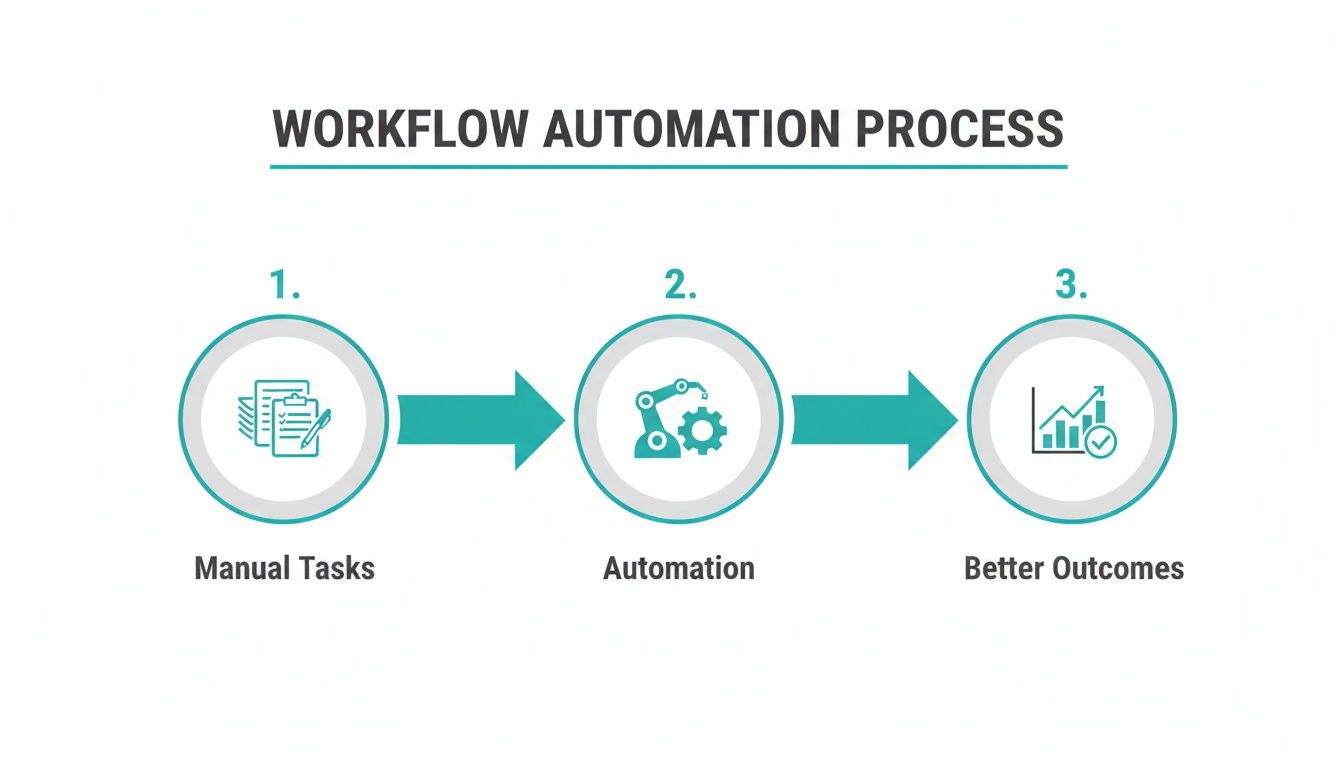
This illustrates a simple truth: a deliberate move from manual tasks to an automated system is the clearest path to more predictable, profitable results.
Driving Team Training and Adoption
Technology doesn't solve problems on its own—people do. The success of your rollout comes down to one thing: user adoption. I've found the best way to make this happen is to find an internal champion. This is someone on your team who’s genuinely excited about the new software and can be the go-to person for their colleagues.
A new software implementation is as much about managing change as it is about managing technology. Your team needs more than just training on how to click the buttons; they need to understand why this change is happening and how it makes their jobs better.
Finally, brace yourself for the first 90 days after launch. This is when the real-world issues pop up. Make sure you have a clear support plan in place, both with your software provider and internally, so questions get answered quickly. A smooth transition isn't just about a successful launch day; it's about setting your firm up for years of success with a tool that actually works for you.
Software In-House vs Outsourced Bookkeeping
So you've picked the perfect professional services accounting software. Great! But that leads to the next big question: who's actually going to run it? This is a fork in the road for many firms, pitting the control of in-house management against the efficiency of outsourcing your bookkeeping.
There's no one-size-fits-all answer here. The best choice really boils down to your firm's specific resources, internal know-how, and where you want to focus your energy.
For some, keeping the books in-house feels like the only option. This path gives you total, hands-on control over your financial data. If you have a team member who genuinely understands accounting or you’ve developed highly specific workflows, managing the software yourself ensures everything runs exactly the way you need it to.
When Outsourcing Makes More Sense
On the other hand, a lot of firms discover that handing off their bookkeeping is a game-changer. Let's be honest, your expertise is serving clients, not crunching numbers. Outsourcing frees up your team from the daily grind of financial admin, letting them get back to what they do best: billable work and business development.
This is particularly true for firms in a growth spurt or those that simply don't have a numbers whiz on staff. Why guess your way through it? Turning your books over to a specialized service means they're managed by pros who live and breathe this stuff, ensuring everything is accurate and compliant.
Outsourcing isn't just about saving time—it's about gaining expertise. A dedicated bookkeeping service brings a level of focus and knowledge that's difficult to replicate with an in-house team that's juggling multiple responsibilities.
The choice really comes down to what you value more: direct control or strategic convenience.
To help you weigh your options, here’s a quick breakdown of what to consider when deciding between managing your software in-house and partnering with a service like Bugaboo Bookkeeping.
In-House Software vs Outsourced Bookkeeping
| Consideration | In-House Software | Outsourced Bookkeeping Service |
|---|---|---|
| Cost Structure | Upfront software costs, plus salary/training for an employee. | Predictable monthly fee. No overhead for hiring. |
| Time Commitment | Significant time required for data entry, reconciliation, and reporting. | Minimal time needed from your team—just review and approval. |
| Expertise | Relies on the financial knowledge of your internal team. | Access to a team of professional bookkeepers and accountants. |
| Control | Full, direct control over all financial processes and data. | You set the strategy; the service handles the execution. |
| Scalability | Can be challenging to scale as the business grows; may need to hire. | Easily scales with your firm's growth without internal disruption. |
| Focus | Diverts internal resources away from core business functions. | Frees up your team to focus entirely on client work and growth. |
Ultimately, the goal is to pick the path that best fuels your firm's health and profitability for the long haul. Thinking through how an expert service could simplify your day-to-day can often clarify the decision. To dig deeper, you can see how outsourced bookkeeping benefits a small business and figure out if it's the right move for you.
Frequently Asked Questions
It's natural to have questions when you're thinking about changing the financial backbone of your firm. We get it. Here are some of the most common things we hear from professional service firms trying to find the right path forward.
Can We Just Stick With Something Simple Like QuickBooks?
You absolutely can, but it's a bit like using a family sedan to haul construction materials. It wasn't built for the job. While standard software like QuickBooks is great for basic bookkeeping, it quickly falls short for service firms.
You'll find yourself wrestling with spreadsheets and clunky workarounds to handle critical tasks like job costing, complex retainer billing, or managing trust accounts. Professional services software is designed from the ground up for these exact workflows, giving you a crystal-clear view of project profitability without all the manual gymnastics.
How Long Does It Realistically Take to Switch to New Software?
This is a big one, and the honest answer is: it depends. For most small to mid-sized firms, you should plan for a transition period of anywhere from 4 to 12 weeks.
That timeline usually covers everything from pulling your data out of the old system, setting up the new software to match how you actually work, and getting your team trained and comfortable. The single biggest factor in a smooth rollout? Having a clear plan and one person on your team leading the charge.
What's the Actual Cost of This Kind of Software?
The price tag on professional services accounting software can vary quite a bit. On the lower end, you might see cloud-based tools starting around $50 per user per month. For larger firms needing more horsepower, costs can easily run into the thousands each month.
Most platforms today operate on a subscription basis, with the price tied to your number of users and the features you need. A word of advice: when you're budgeting, don't just look at the monthly fee. Factor in the total cost, which includes one-time setup fees, data migration services, and any premium support you might need down the line.
Tired of forcing the wrong software to work for your firm? Bugaboo Bookkeeping offers expert, outsourced bookkeeping designed specifically for professional services. Find out how we deliver financial clarity so you can get back to focusing on your clients.